Magic Marketing Questionnaire#
Everybody says you need to build a personal brand when you want to be a freelancer. As it happens I do not know much about building a personal brand. big-oof.png
I do however know how to build a dynamic form and strap an LLM behind it!
Basic idea#
You fill out a super simple questionnaire that consists of:
- 2-5 multiple choice options
- a text field you can type something into, if none of the options applies
For the first n turns, the LLM will create options based on predefined prompts. These will establish a basic understanding of your situation & goals.
Once this phase is complete, the LLM will output a basic marketing plan for you. You can further refine this plan by continuing to fill out the questionnaire ad infinitum.
Please don't spend an unreasonable amount of time on doom planning!
Implementation#
Happens here: magicmarketingquestionnaire on github
Frontend#
- Angular + Angular Material
Backend#
- Ollama / vLLM
Application Logic#
- Iterate over list of predefined prompts:
- generate a question & multiple choice answers based on the current context
- Once all predefined prompts have been answered:
- feed all answers into a prompt template to generate a marketing plan
- generate a question & multiple choice answers to further refine the plan
Log#
01.05.2026#
I started by setting up a new Angular project with
mkdir ~/Projects/magicmarketingquestionnaire
cd  ~/Projects/magicmarketingquestionnaire
ng new frontend
cd frontend
ng add @angular/material # https://material.angular.dev/guide/getting-started
ng add tailwindcss # https://angular.dev/guide/tailwind
ng serve
Somehow ng add tailwindcss did not work correctly, so I had to manually add
// src/styles.scss
@use 'tailwindcss'
//.postcssrc.json
{
  "plugins": {
    "@tailwindcss/postcss": {}
  }
}
I also ran into trouble with MatButton not working as intended. No styling was applied to the button.
It turns out it works as documented, if you look at the version of the documentation you are using (v19) instead of the latest one (v21). I am not sure why Angular 19 was installed when I installed Angular without a version constraint. That was curious and maybe I will look into why that is another time.
This far I have built the Form for displaying the question, the multiple choice answers and an input field for an alternate answer.
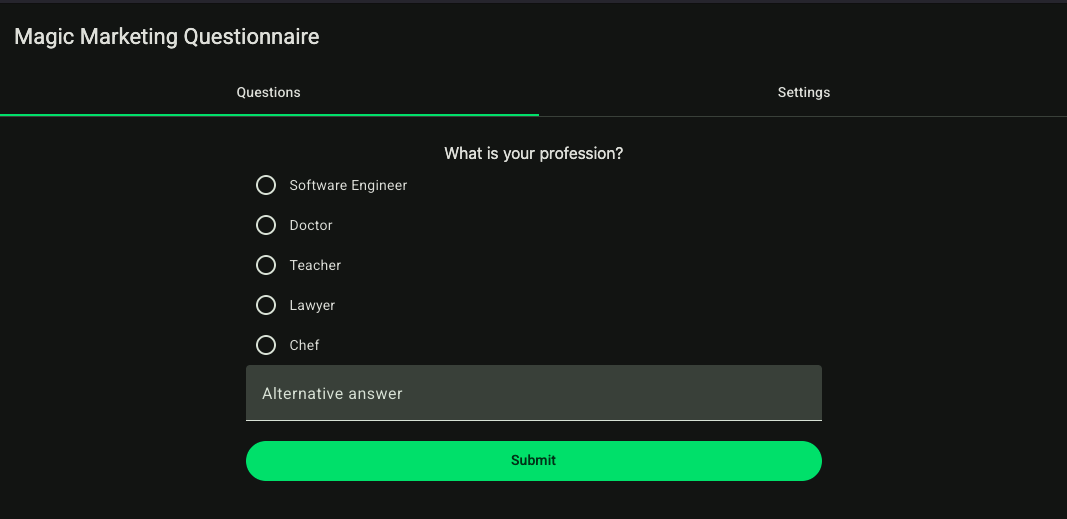
The response options are already generated by the following code:
public getOllamaClient() {
  if (!this.ollamaClient) {
    const { url, apiKey } = this.openaiConnection.value;
    this.ollamaClient = new OpenAI({
      baseURL: url + '/v1',
      apiKey: apiKey,
      dangerouslyAllowBrowser: true,
    });
  }
  return this.ollamaClient;
}

public async generateOptions(prompt: string): Promise<string[]> {
  const client = this.getOllamaClient();

  const response = await client.responses.create({
    model: 'mistral:latest',
    input: prompt,
    instructions: 'Generate 5 options based on the given prompt. Respond with a JSON array of 5 strings that contain 1 option each. The output must be directly parsable as JSON.',

  });
  try {
    return JSON.parse(response.output_text);
  } catch (error) {
    return [];
  }
}
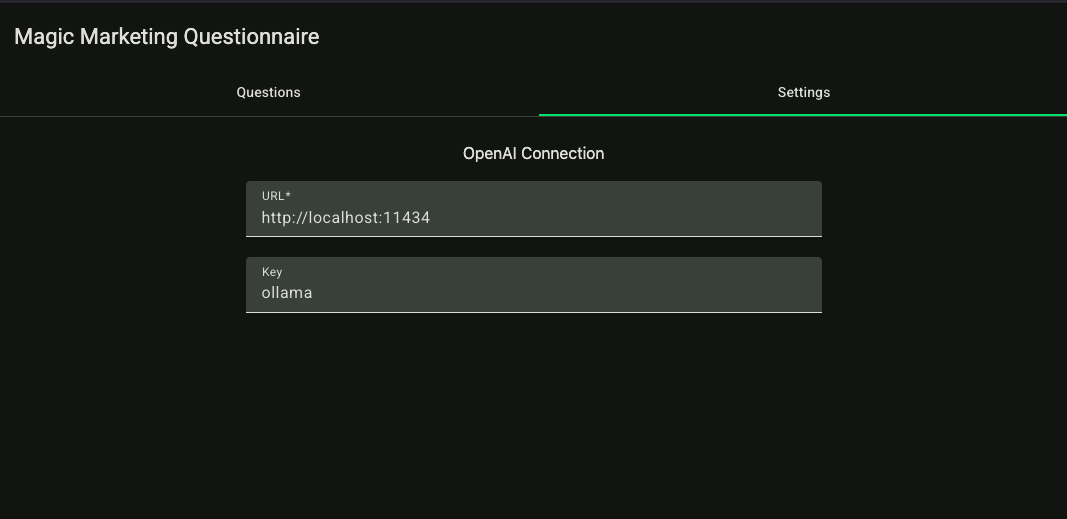
The URL & ApiKey are configured in the Settings pane & default to using Ollama
Currently there are 0 loading spinners & basically no error handling. Next step is coming up with good initial questions, validation of inputs & a view to display the final plan. I will have to create a wishlist of features that I could implement next & prioritize.
02.05.2026#
First I wanted to display the questions and answers & add the option to revisit them.
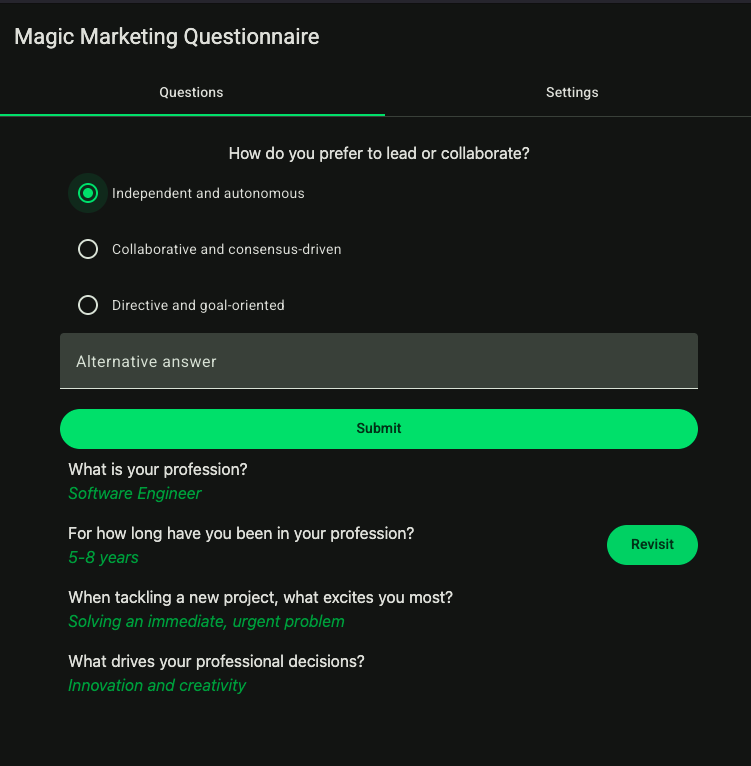
All questions apart from the first two are generated by the LLM.
To be able to test the quality of questions from a newer model than mistral, I added code (that is not pretty and will be neither shown, nor kept very long) to strip away the codefences that gemma4:e2b always inserts when told to output JSON (via the OpenAI compliant API).
From what I read structured output works better when using Ollama's own API.
I want to experiment with using other inference frameworks (like vLLM). Therefore I want to use an interchangeable API that can be used with both.
To experiment with different models more easily, I expanded the settings pane a little:
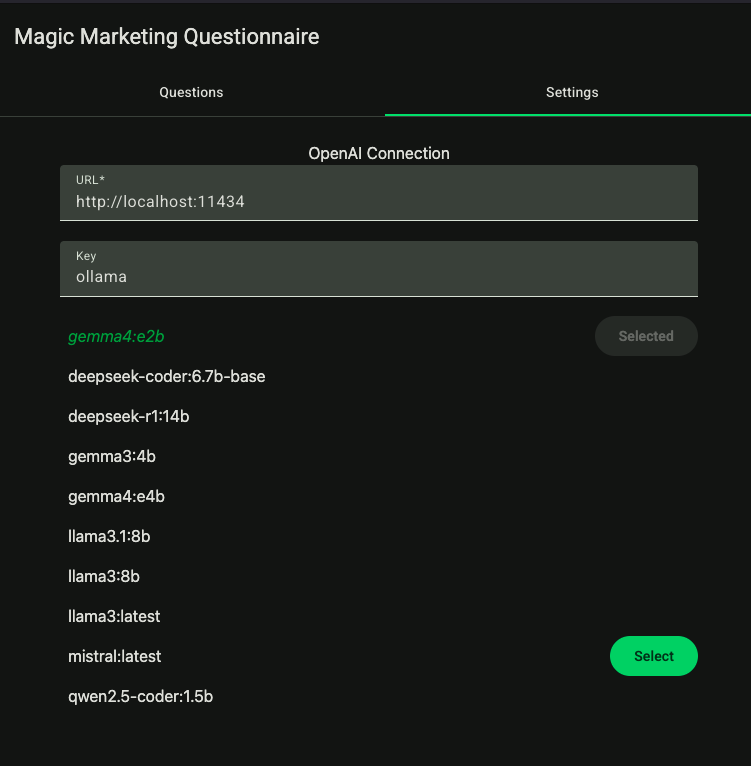
The quality of questions needs to improve & for that to happen, I need to tweak either
- the model I use
- or the prompt
- likely both
While working on it I already thought about implementing a dislike button & persisting the question and answer pairs. That way I could collect examples for "good" and "bad" questions for fine tuning experiments.
The current way of generating follow up questions looks as follows
const response = await client.responses.create({
  model: this.chosenModel,
  input: `Here are the completed questions and answers:
  ${this.summarizeTurns()}`,
  instructions: `
    You are a specialist in creating personal branding strategies.
    The goal is to create a personalized brand by asking as few questions as possible.
    Avoid being repetitive. Keep questions simple and easy to answer.
    What would be the best next set of question for a multiple choice quiz?
    Try to discover what how the person thinks, what is important to them.
    Go beyond simply asking questions about their work.
    Ask more than one question if possible.
    [{
      "question": "the next question to ask the user",
      "options": ["option1", "option2", "option3"],
    },
    {
      "question": "the next next question to ask the user",
      "options": ["option1", "option2", "option3"],
    },
    {
      "question": "the next next next question to ask the user",
      "options": ["option1", "option2", "option3"],
    }]
  `,
});
console.log("Followup generated with usage", response.output_text, response.usage);
try {
  return this.parseModelOutput(response.output_text);
} catch (error) {
  console.log(error)
  return [];
}
As you can see proper error handling is still not done. I did however add loading spinners (very big ones at that).
Currently all questions and answers are lost once I refresh the page. As the quality of both improves, that fact becomes more and more sad. I want to add the option to store the generated questionnaires next.
04.05.2026#
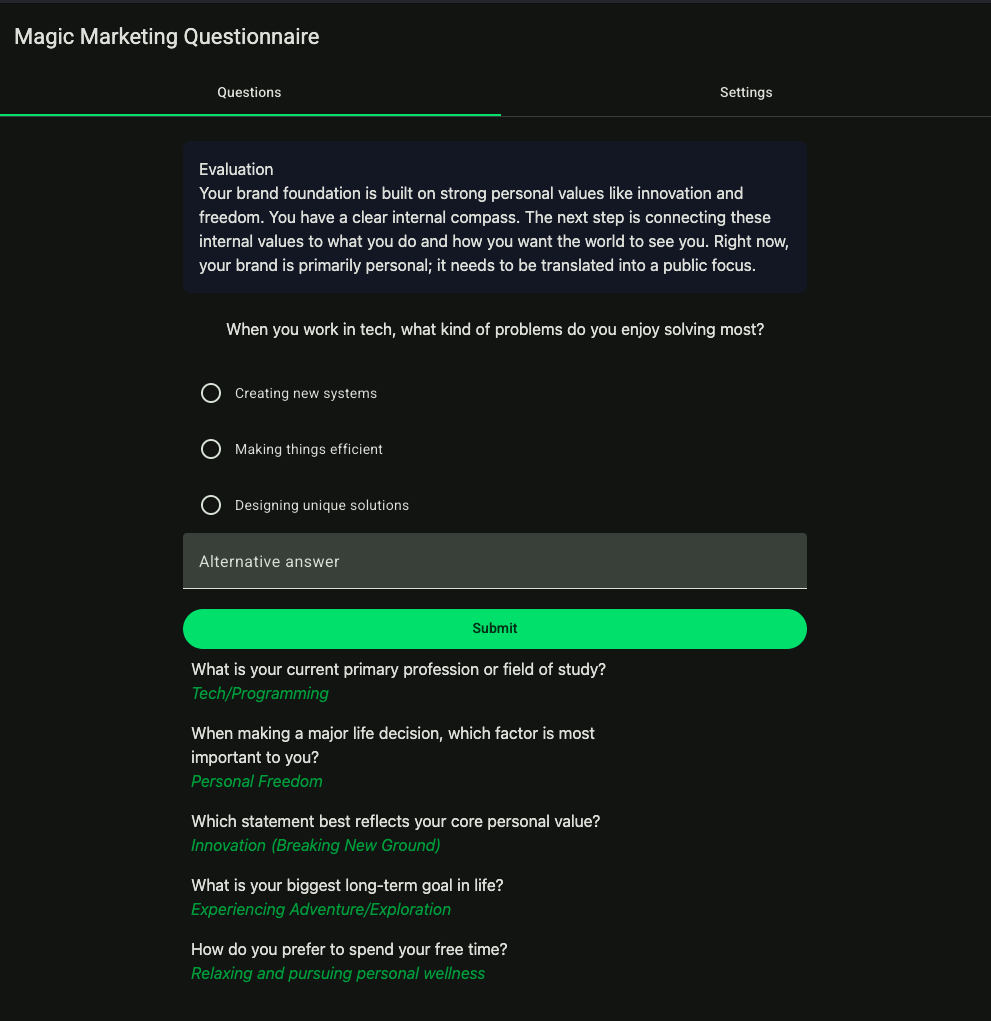
Today I finished this project. My objectives have been fulfilled & I see limited use in further development. In this exploration I was able to:
- try out tailwindcss
- get some experience using ollama via its OpenAI compliant API
- use the OpenAI javascript library
I remodeled the generation of the initial questions. Providing initial questions & generating responses for these on demand had the bad side effect of causing waiting time after each question.
Now an initial set of questions is generated using the following prompt:
You are generating content for a dynamic questionnaire that helps people discover their brand identity.
Generate a list of at least 5 initial questions with 3-5 response options.
These questions should determine:

* What is their profession / job
* what are their values in life
* what are their goals

Respond in the following format:
[
  {
    question: "What is your profession?",
    options: ["Software Developer", "Butcher", "Graphic Designer"],
  }
  // other questions ommited for brevity
]
You are a specialist for creating personal branding strategies.

Your task is to evaluate the inputs of a questionnaire.
The questionnaire is aimed primarily at people who do not know much about marketing & building a brand.

Based on their answers you will create an evaluation that comprises:

* an estimation of how strong their brand identity ist
* areas where they can still improve their brand

Refrain from using buzzwords and keep it short and sweet.

In addition to the evaluation you will create a list of follow up questions, that you would ask in a one on one meeting.
The process should be a guided experience, where they discover their own brand identity.
The response options should be short and sweet.
The questions should display your understanding of the users' situation.
They should narrow down the uncertainty.

Here is your previous evaluation (will be empty on the first run): ${this.evaluation}

Respond in the following format:
{
  "evaluation": "Evaluation"
  "questions": [
    {
      "question": "the next question to ask the user",
      "options": ["option1", "option2", "option3"],
    },
    {
      "question": "the next next question to ask the user",
      "options": ["option1", "option2", "option3"],
    },
    {
      "question": "the next next next question to ask the user",
      "options": ["option1", "option2", "option3"],
    }
  ]
}
I discovered something that I found pretty funny:
After removing the explicit mention of JSON, gemma4 stopped wrapping JSON output in markdown code fences. It outputted valid JSON anyways because I specified the output format.
I updated the settings pane to store the connection information into sesstionStorage. This was done to be able to use gemma4:26b running on a different machine, without having to paste the connection string into the settings each time I hit save in my editor.
In my subjective experience the quality of the questions improved a lot. This was mainly due to improving the prompt, as the task for the LLM seems to be more clear now. The improvement was also noticeable when using a small model (gemma4:e2b). Before the questions did not really seem to lead anywhere. They were relevant to the topic of discussing personal brands. However I did not really feel like the questions helped form a brand image. Instead they were a collection of facts about the user.
After updating the prompts, the questions seemed to be more focused on clarifying how the user wants to position themselves in the market. Questions contained explicit explanations of how they helped clarify the brand image.
When using the larger version of gemma4:26b, I was under the impression that the larger model was better at drawing conclusions from the previous answers.
Now I want to quickly explain why I will conclude this project at this stage:
In its current form it is simple, small and complete. Because I finally added error handling:
  // other lines ommited for brevity
  public errorMessageSuffix = "\nSadly the only thing you can do now is to reload the page & hope it was a temporary error OR go to https://github.com/colasupreme/magicmarketingquestionnaire and fix it yourself :)"
  // other lines ommited for brevity
   try {
      this.turns = await this.parseModelOutput(response.output_text);
    } catch (error) {
      if (error instanceof Error) {
        this._snackBar.open(error.message + this.errorMessageSuffix, "close")
      }
    }
  // other lines ommited for brevity
Let's take a final look at this mini app & say goodbye to it: